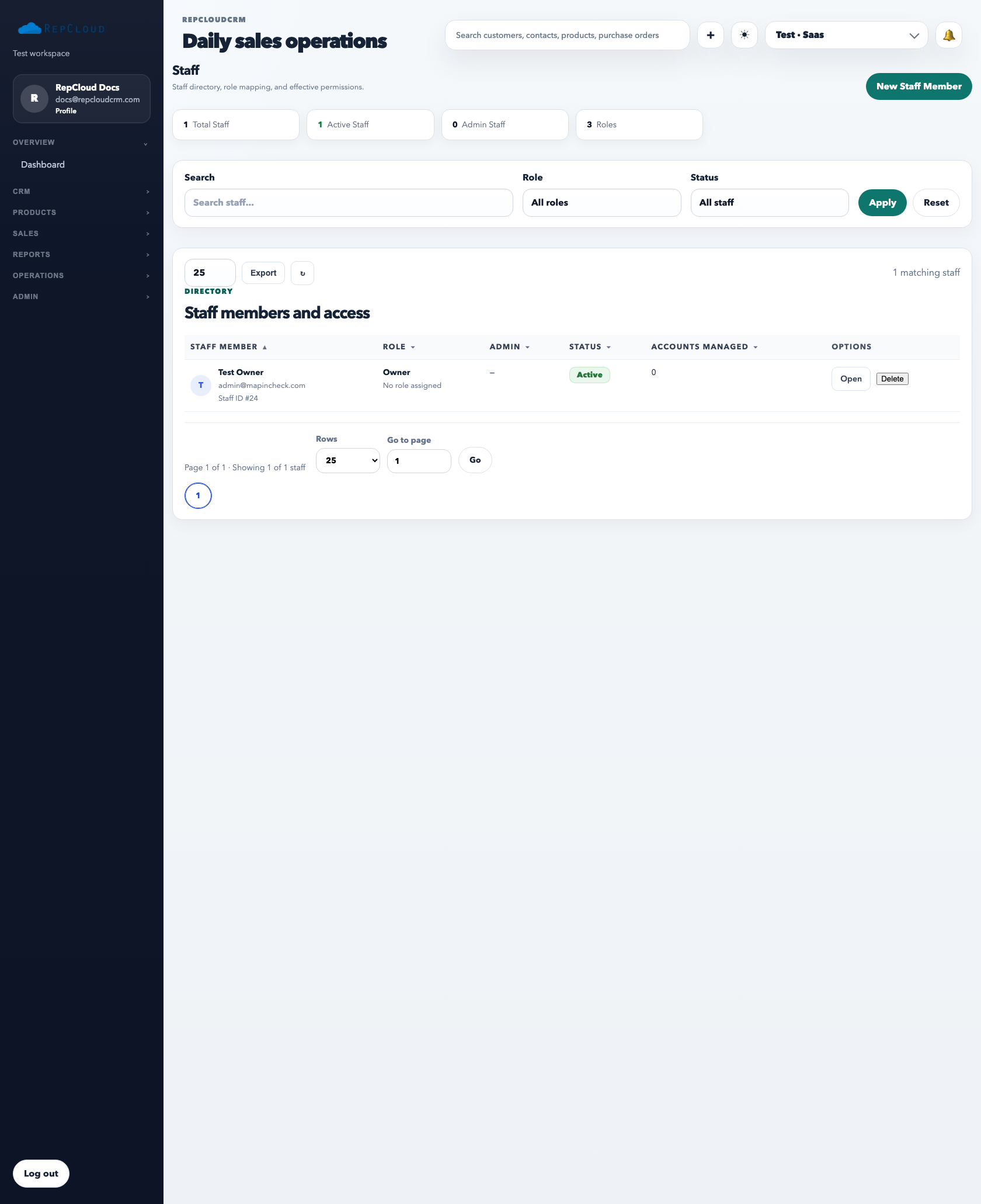
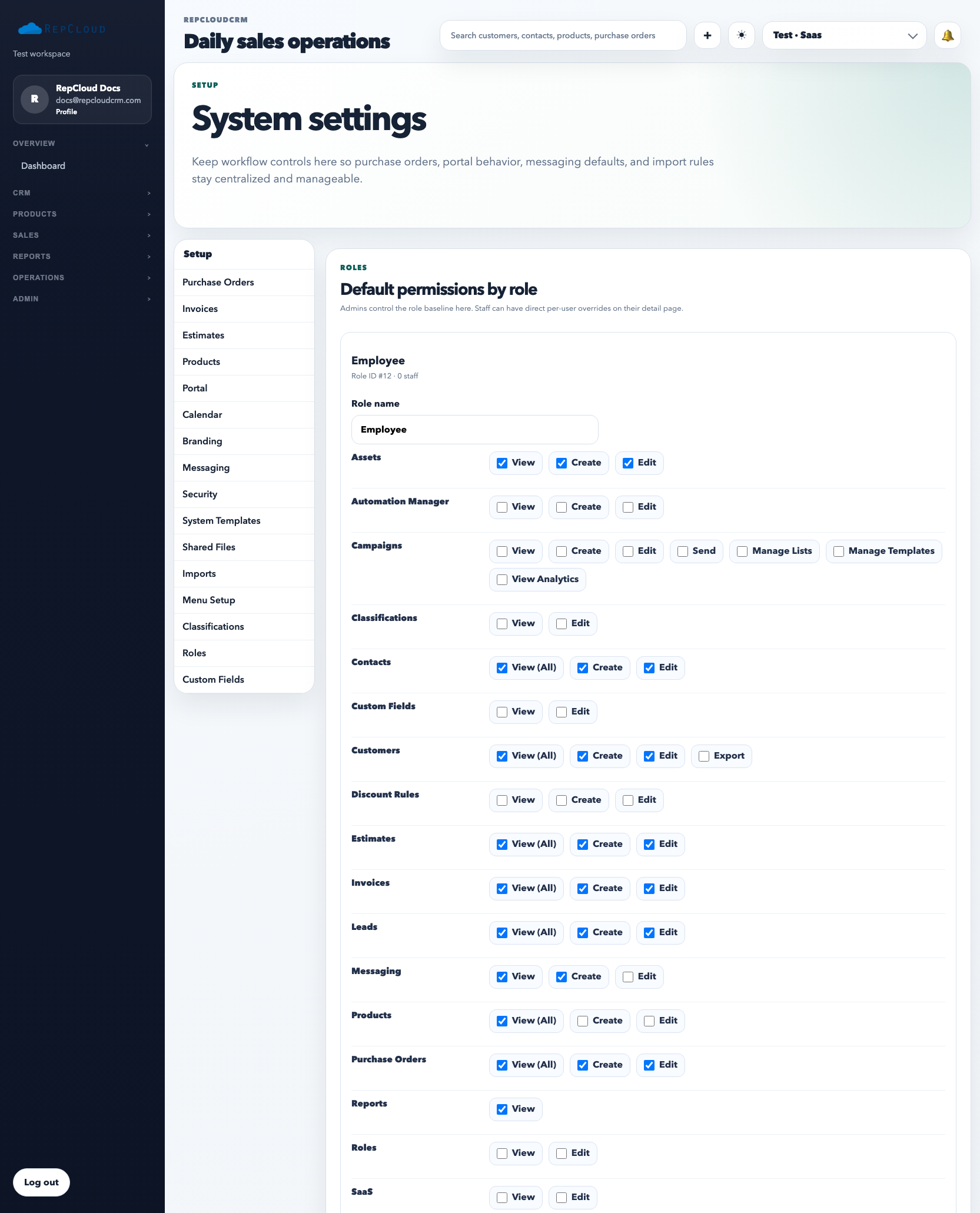
Staff access works best when roles stay broad and durable. The directory is for managing people, the staff profile is for person-specific settings, and Setup → Roles is where you define the reusable permission structure.
The staff directory is the control center for your internal team. Use it to review who has access, which role they belong to, and whether they are active administrators or standard employees.
How to manage staff cleanly
Start in Staff when you need to invite, deactivate, or review an individual team member.
Use the staff profile for person-specific settings such as profile information, SMTP details, and rare direct permission overrides.
Use Setup → Roles to define reusable permission profiles for sales, operations, marketing, admins, and support staff.
Assign one primary role per person whenever possible.
Reserve direct permission overrides for edge cases only.
Roles are the reusable access model. This is where you decide what a sales rep, operations user, marketer, or admin can actually see and do.
Role design best practices
Build roles around job function, not around individual personalities.
Keep the number of roles low enough that the team can understand them without a spreadsheet.
Let the role carry most permissions. If too many staff profiles need overrides, the role design is wrong.
Review access whenever someone changes departments, not just when they leave the company.
Common mistakes
Creating a unique role for each employee.
Giving admin access when a role permission would have solved the need safely.
Using direct overrides so often that nobody can explain who actually has what access.
Leaving inactive staff active in the directory after they stop working in the workspace.
Recommended Next
Products, Categories, and Inventory
Keep the catalog clean with the right category structure, pricing, inventory settings, and product detail habits.