The product module is the source of truth for catalog structure, pricing, and what customers can actually see in the shop. The clean workflow is to organize categories first, then maintain each product from the editor instead of treating the catalog like a flat spreadsheet.
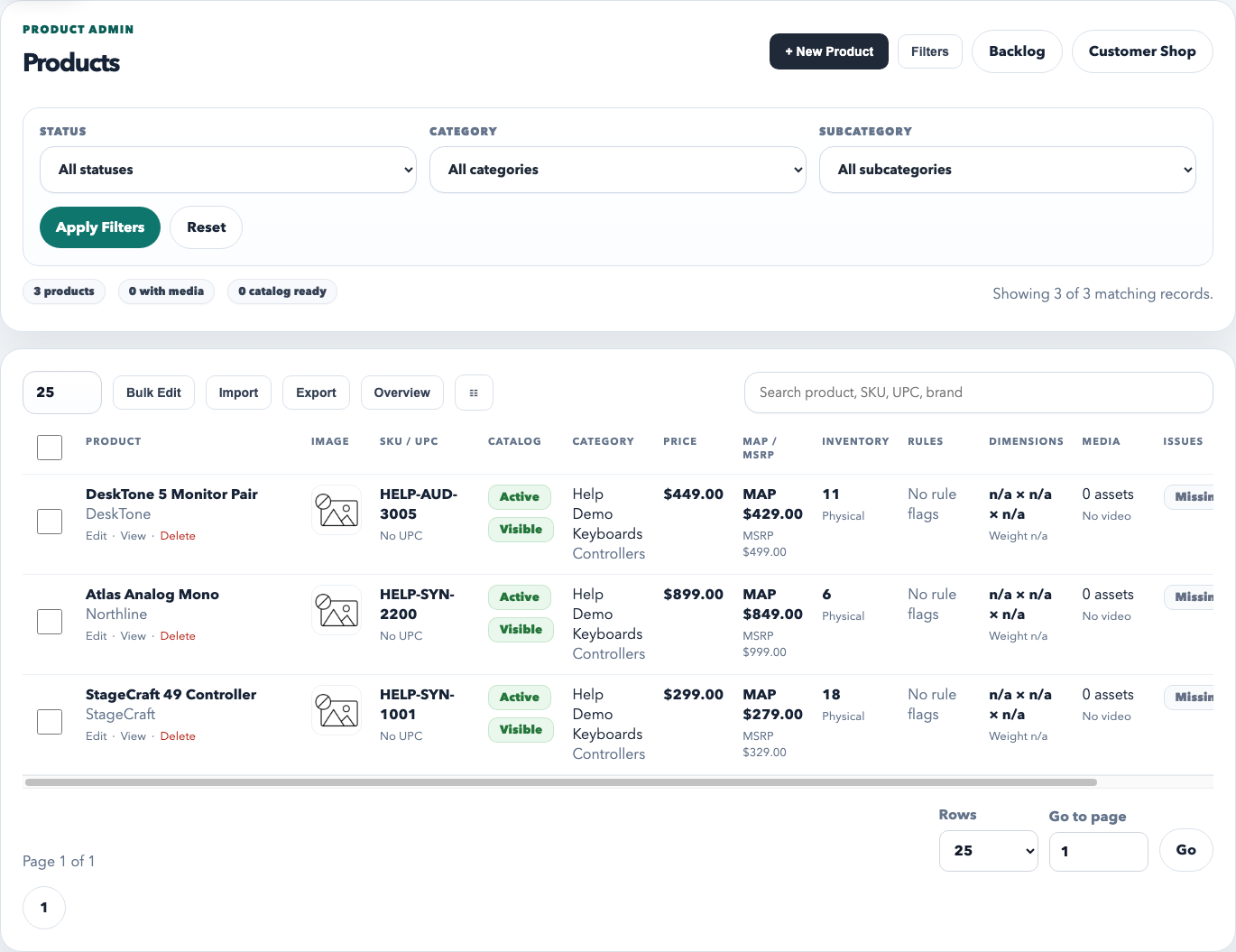
The product overview is the day-to-day catalog queue. Use it to search, filter, bulk edit, import, export, and open individual products when something needs deeper cleanup.
Recommended workflow
Keep categories and subcategories clean first. The category structure affects filtering, shop organization, discount logic, and reporting.
Create or import products into the right category. Do not leave products uncategorized unless they are truly temporary.
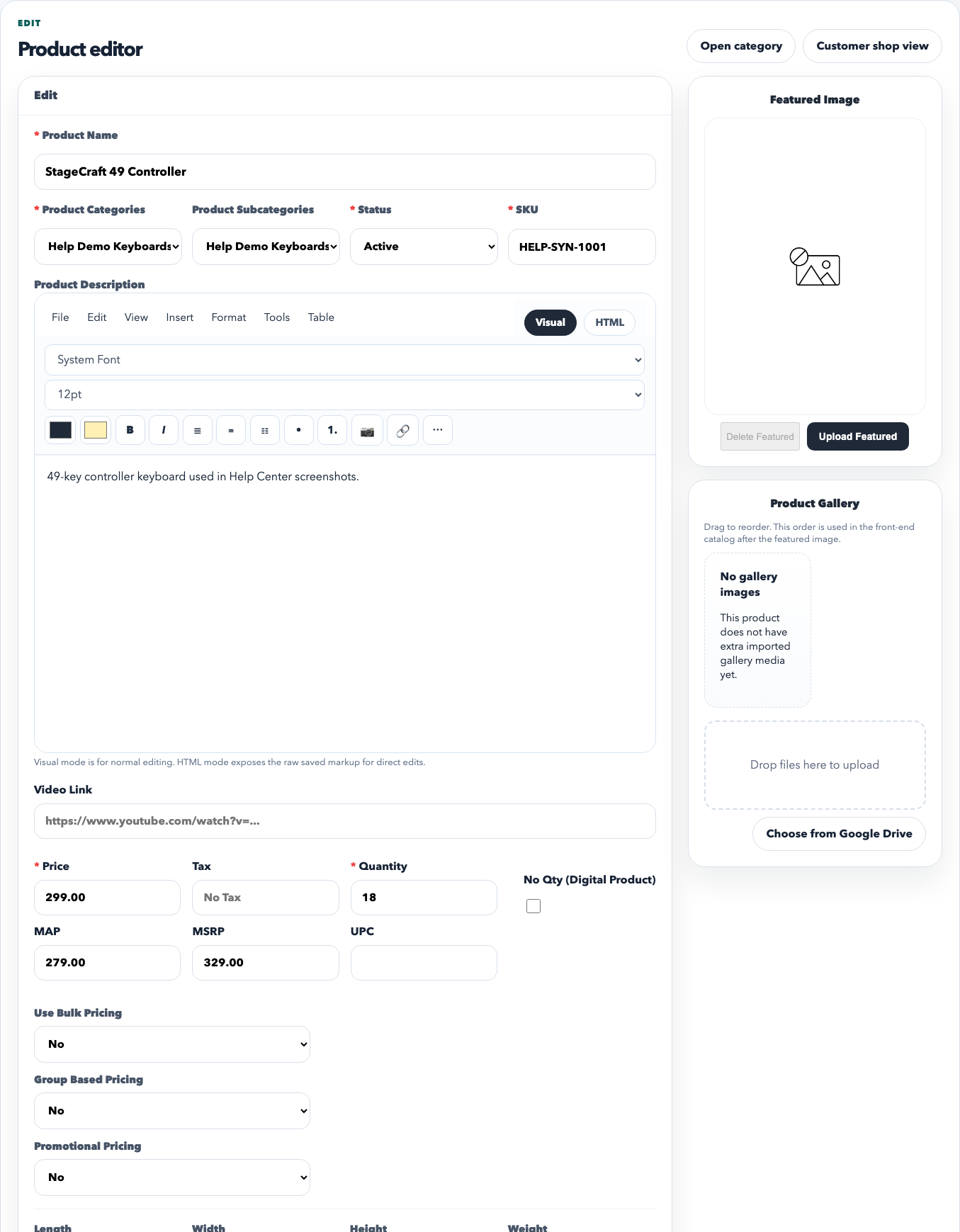
Use the product editor for detail work. Pricing, inventory, descriptions, media, related products, and pricing rules all live there.
Use the overview table for queue work. Search, sort, and bulk-edit from the main list instead of opening every product one by one.
The product editor is where one SKU becomes complete: category placement, description, pricing, MAP/MSRP, quantity, video, and advanced pricing behaviors are all managed here.
What to review on every product
The name is clean and customer-facing.
SKU, category, and subcategory are set correctly.
Base price, MAP, and MSRP are intentional, not placeholder numbers.
Inventory is maintained only if the workspace actually tracks stock.
Description and media are good enough for the customer shop or portal experience.
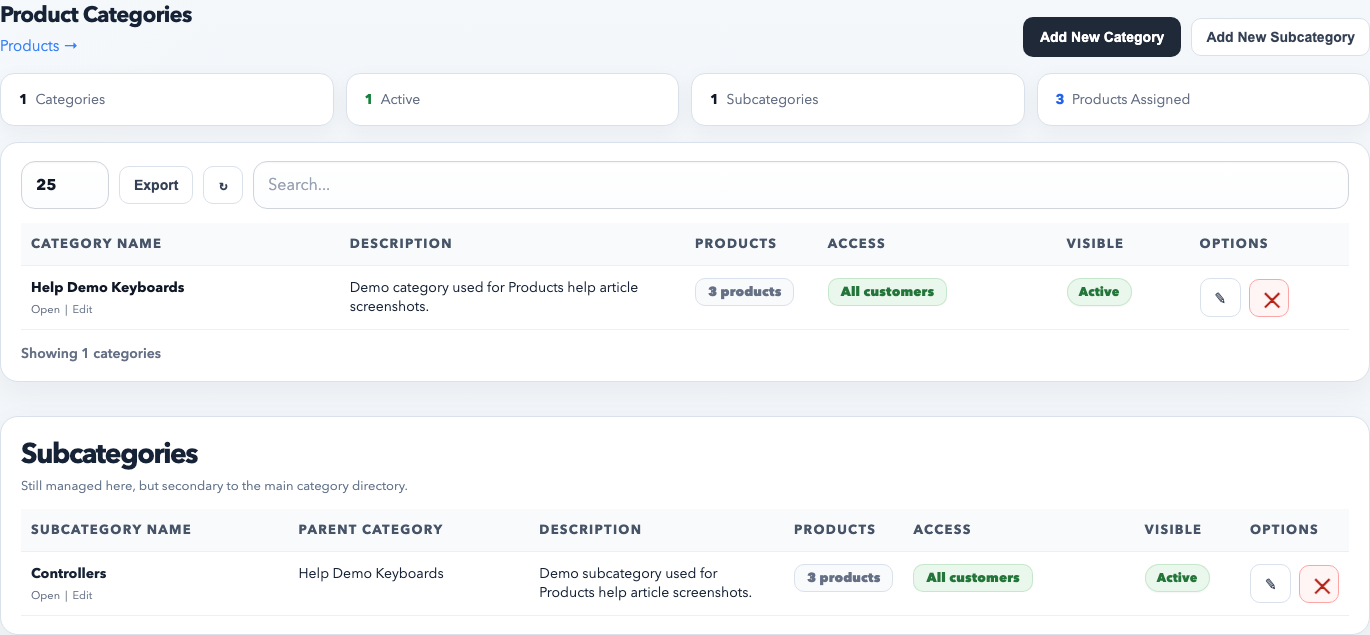
Categories and subcategories are managed from their own directory. This is where you keep the catalog structure clean and decide whether certain groups should have restricted access.
How to use categories well
Use categories for the main catalog structure customers and staff expect to browse.
Use subcategories only when they help navigation or reporting. Do not mirror the same name at both levels without a reason.
Review product counts on the category page to find empty or duplicate structures before they spread.
Use access restrictions only when a category truly needs to be limited to specific customer groups.
Inventory setting reminder
Inventory is workspace-wide, not something staff should guess per product. In Setup → Products, turn inventory on only if the team will keep quantity on hand current. If the workspace uses RepCloud mainly as a catalog and pricing system, it is better to disable inventory than to leave stale numbers everywhere.
Best practices
Search for an existing SKU before creating another product.
Use bulk edit for category or status cleanup across many records.
Keep category names stable so filters, reports, and portal browsing remain predictable.
Clean the product directory regularly instead of waiting for import mistakes to pile up.
Common mistakes
Leaving products uncategorized and expecting the shop to stay organized.
Using inventory counts when nobody is actually maintaining them.
Creating duplicate categories or subcategories for the same brand or product family.
Editing one-off products directly in the table when the real issue is category structure or import cleanup.
Recommended Next
Estimates, Purchase Orders, and Invoices
Run estimates, purchase orders, and invoices as one workflow with cleaner pricing, status, and billing handoff.