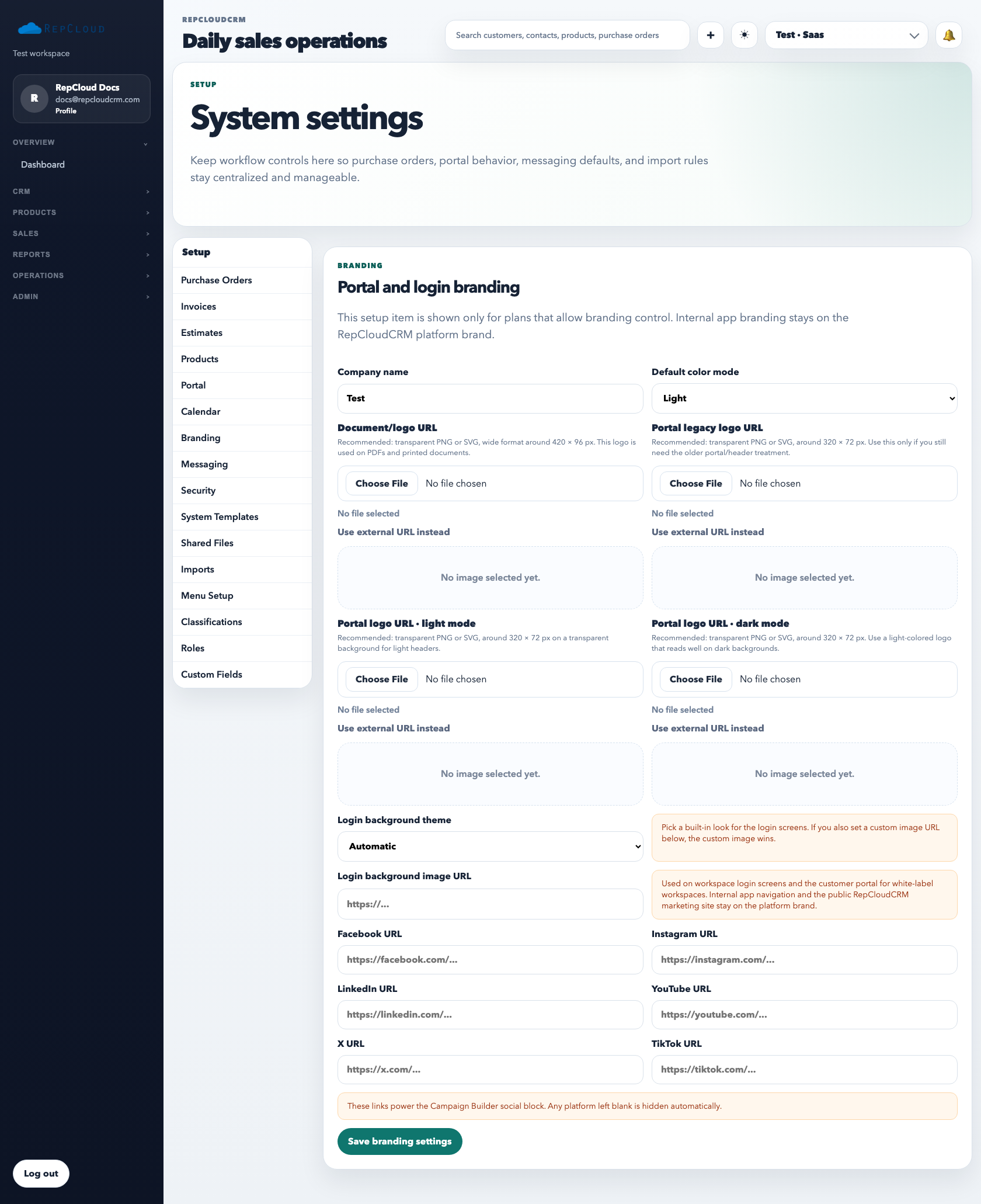
The Setup menu is the workspace control center. It is where admins define how the app behaves before staff start using the live workflows. Some tabs control document defaults, some control customer-facing behavior, and some exist only for admin maintenance.
Start with the Setup sidebar itself. The tabs control workspace-wide defaults, so changes here affect the whole team rather than just one user.
What each Setup area is for
Purchase Orders / Invoices / Estimates: numbering, status defaults, conversion behavior, and document rules.
Products: inventory defaults and product-level behavior that should be consistent across the workspace.
Portal: customer-facing portal behavior and access rules.
Calendar: scheduling defaults and appointment-type behavior.
Branding: logos, login visuals, and white-label presentation.
Messaging: SMTP, shared senders, campaign sender settings, and messaging defaults.
Security: admin-level security controls and access-related guardrails.
System Templates: reusable system message and automation-adjacent template content.
Shared Files: Dropbox or document embed behavior for the shared-files experience.
Imports: import defaults, connectors, and migration-related tools.
Menu Setup: main, portal, and setup navigation visibility and ordering.
Classifications: controlled classification values used across CRM and reporting.
Roles: permission groups and workspace staff access design.
Custom Fields: extra data fields added to supported records.
Private or platform-only Setup areas
Superadmin / SaaS / Backups: platform-facing administration used for internal or elevated management, not normal tenant setup work.
Best practices
Change Setup intentionally. These are workspace-wide controls, not personal preferences.
Document who approved major branding, messaging, portal, and pricing-behavior changes.
Use Help articles for the specific setup area before changing production defaults blindly.
Recommended admin review order
Branding and Messaging first, so customer-facing content and sender behavior are clean.
Document tabs next, so purchase orders, estimates, invoices, and portal visibility follow the real workflow.
Roles, Security, Menus, and Custom Fields last, once the workspace structure is already clear.
Recommended Next
Workspace Setup, Billing, and Plans
Review plan, billing, setup, and workspace controls that affect access, provisioning, and SaaS administration.