Admin

Setup Custom Fields

Add custom fields carefully so extra data stays useful instead of becoming long-term clutter.

Custom Fields let a workspace capture extra record data beyond the standard app structure. They are useful, but they should be added sparingly. Every custom field becomes part of training, reporting, and data cleanup.
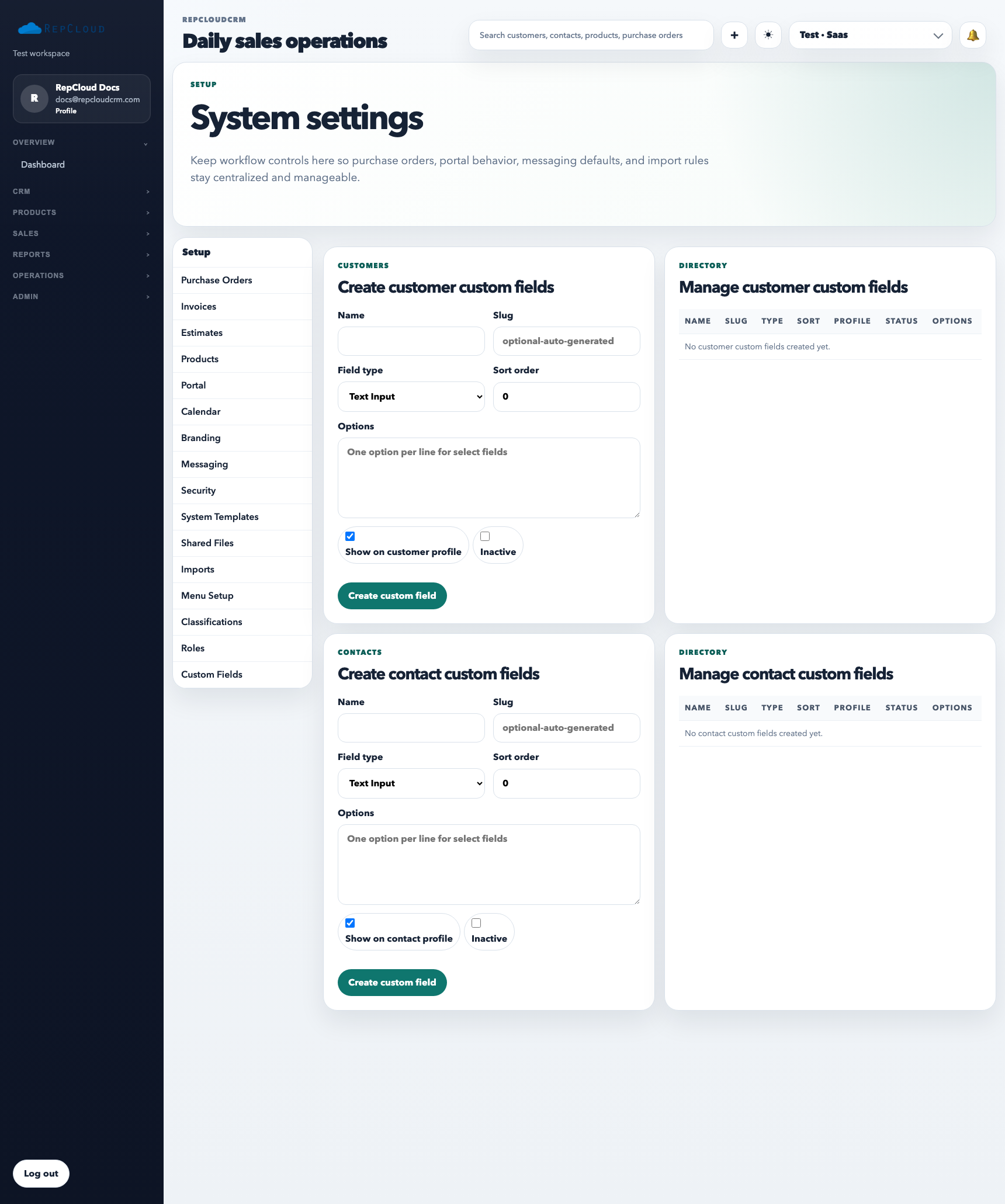
Setup Custom Fields tab showing existing fields, target record types, and create controls.
Custom fields add structure permanently. Treat them like data-model changes, not quick fixes for one report or one temporary workflow question.

What Custom Fields are for

  • Capturing business-specific data the default records do not already support
  • Making important extra context visible on supported records
  • Supporting workflows that genuinely need more structure

How to use them well

  1. Confirm the data cannot already be handled by the standard fields.
  2. Decide whether the field should be required, optional, internal-only, or customer-facing.
  3. Make sure staff will actually maintain the field after rollout.

Best practices

  • Do not add custom fields to solve a temporary reporting question.
  • Prefer fewer, well-defined fields over many vague ones.
  • Review old custom fields periodically and retire the ones nobody uses.

