The portal billing area is split intentionally: Estimates are quote-stage documents, while Invoices are billing-stage documents. Customers should understand that they serve different purposes even if the layouts look similar.
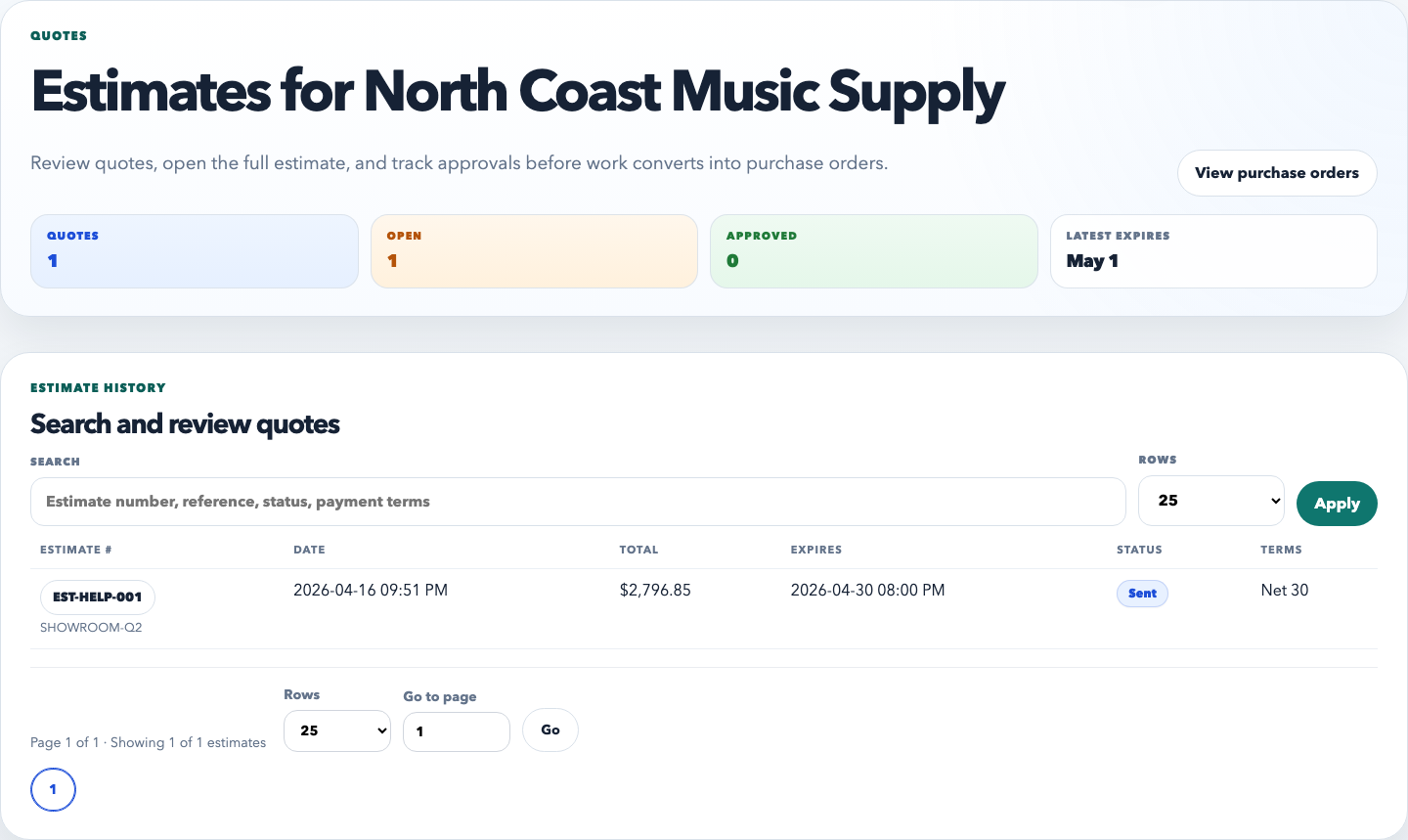
The estimate list is the customer’s quote history. It should make it easy to spot the correct document number, the current status, and the amount before opening the detail page.
How customers use the Estimates tab
Open Estimates from the portal navigation.
Review the list view to find the right estimate by number, date, or amount.
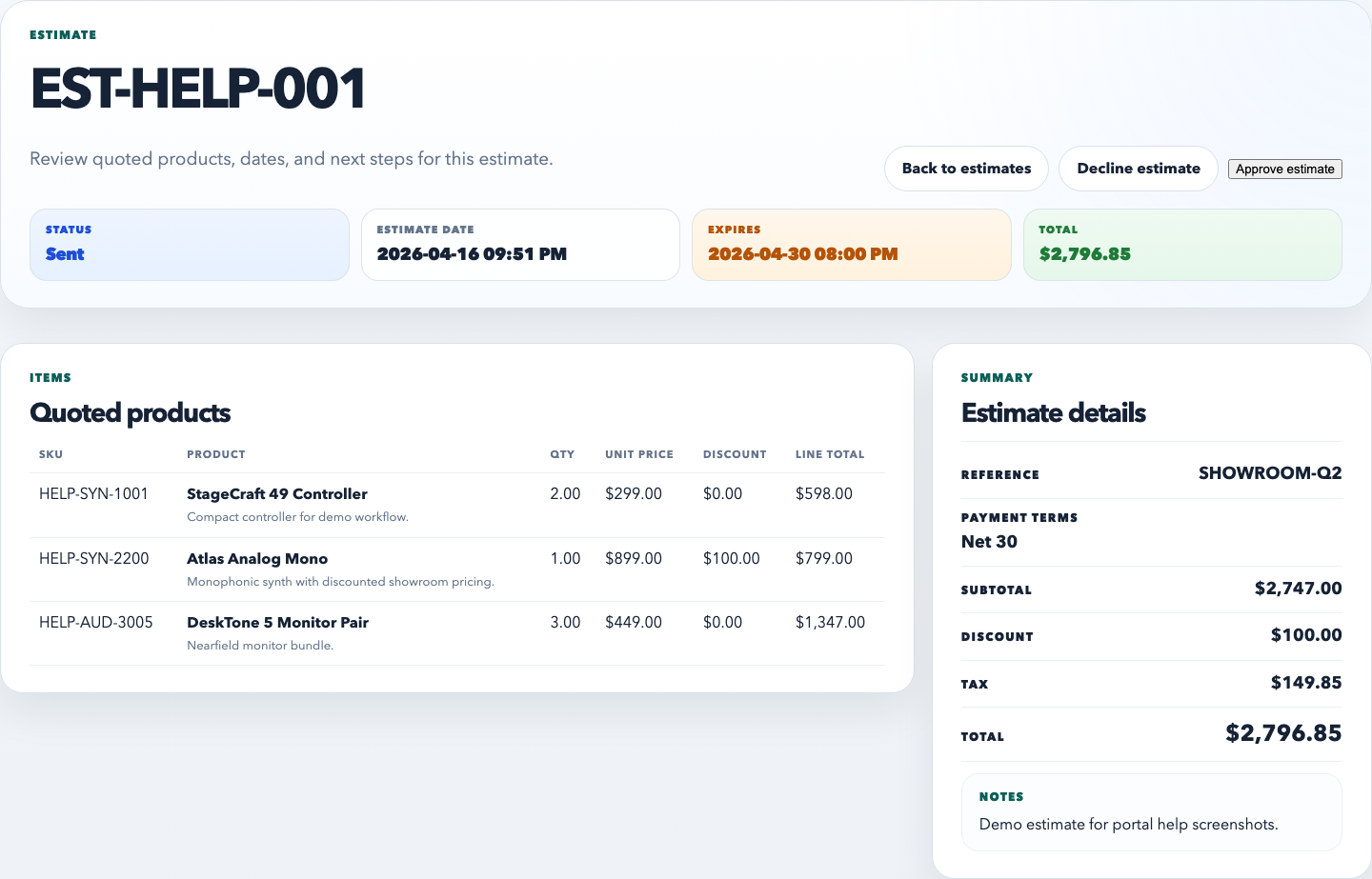
Open the estimate detail page to review line items, quantities, totals, notes, and expiration dates.
Use the estimate as a review document before a purchase order or invoice exists.
The estimate detail page should read like a clean proposal. Customers should be able to understand what is being quoted, what discounting is already included, and what total the estimate represents.
What customers should understand about estimates
An estimate is not yet a finalized invoice.
Estimate totals can already include discount rules or promotional pricing.
Customers should use the estimate detail page to verify line items and proposed pricing before moving forward.
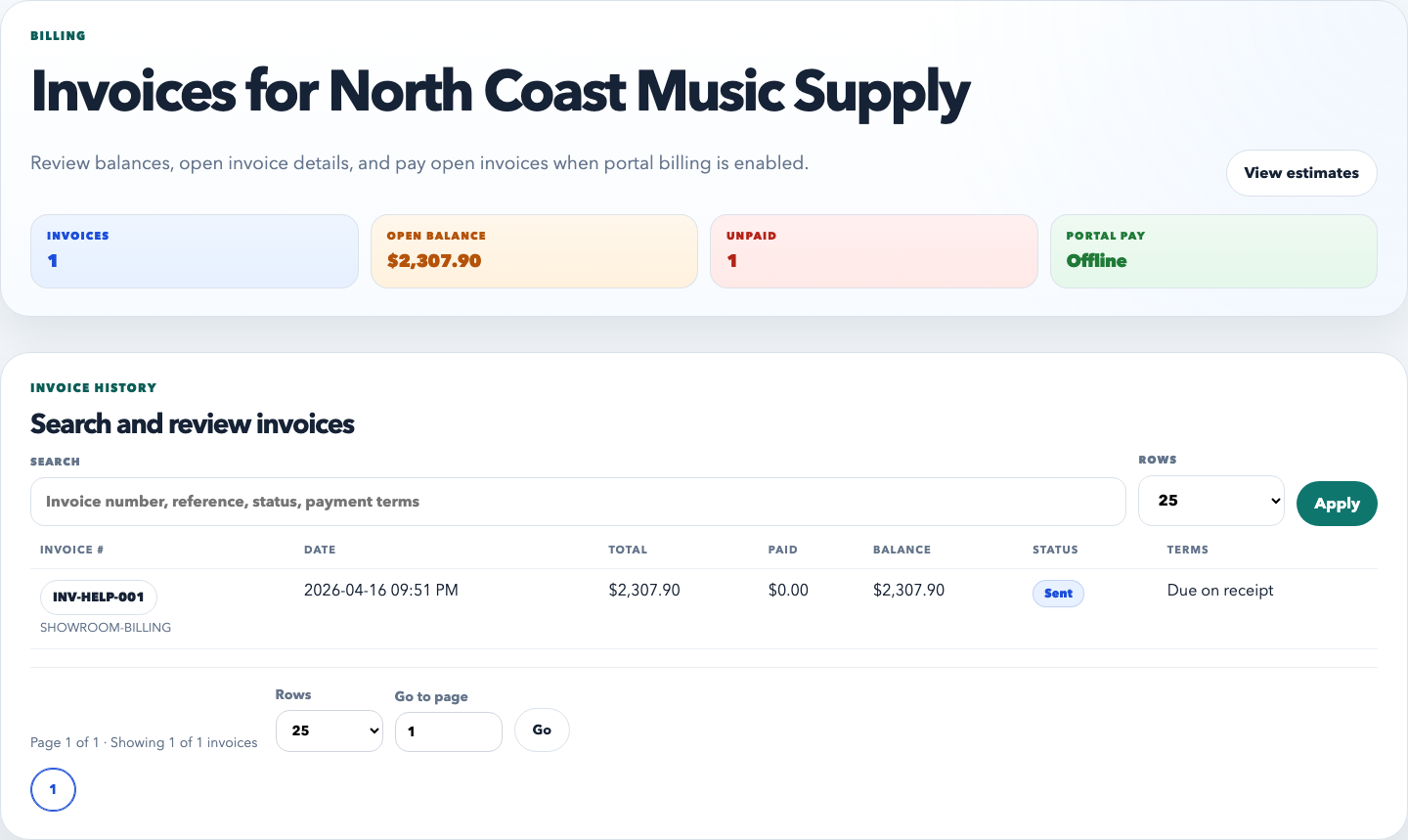
The invoice list is the customer’s billing history. It should immediately communicate what has been billed, what is paid, and which invoices still need attention.
How customers use the Invoices tab
Open Invoices from the portal navigation.
Use the status, due date, and paid date columns to understand which invoices are still outstanding.
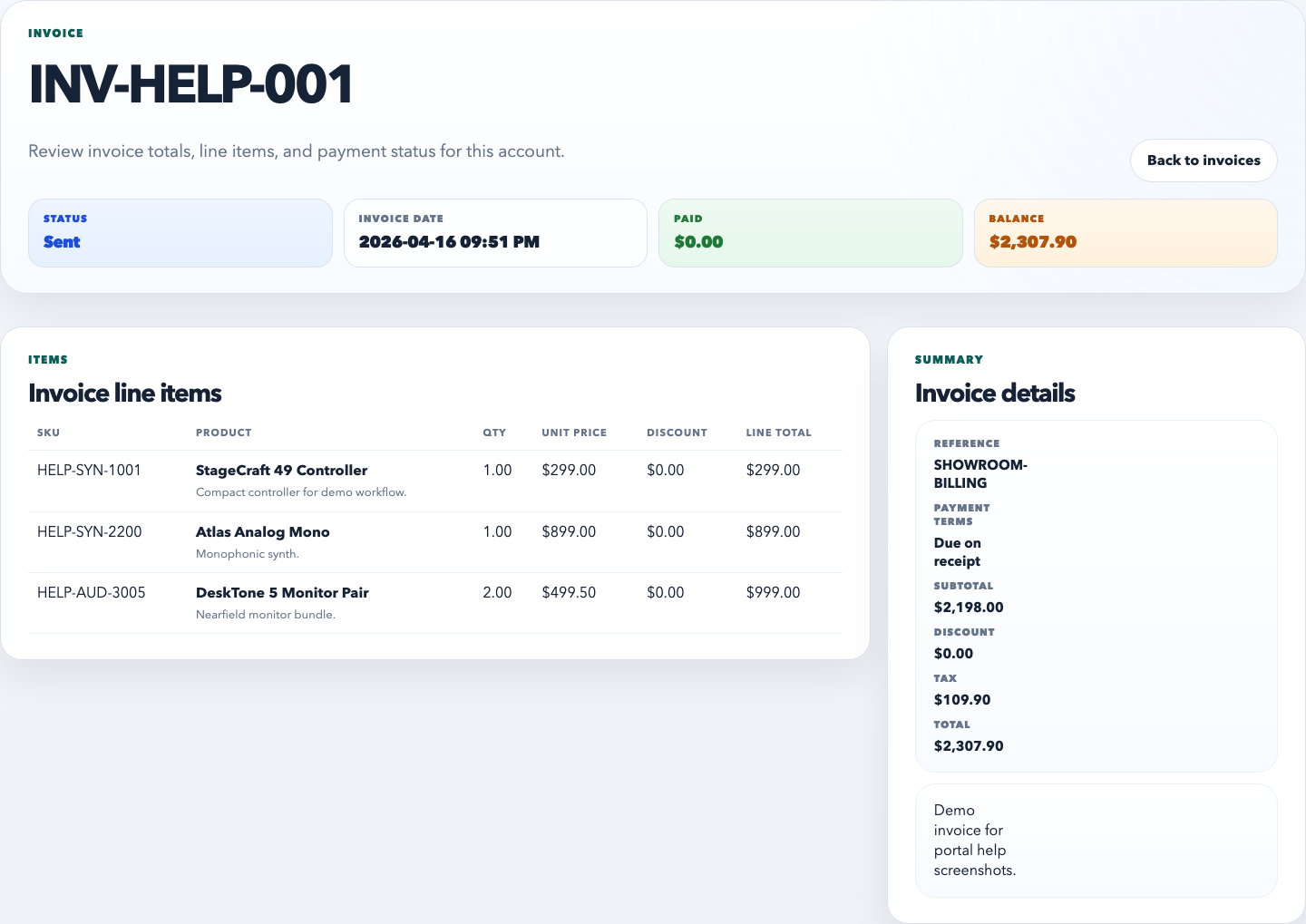
Open the invoice detail page to review billing details, itemized charges, totals, and notes.
Use the detail page as the reference source when reconciling charges with your accounting team.
The invoice detail page is the billing record the customer should rely on. It should be clear enough that a buyer or accounting contact can verify what was billed without extra staff explanation.
How estimates and invoices differ
Estimate: proposed pricing, quote-stage, review before commitment.