Marketing lists are the foundation for campaign targeting. If the list structure is messy, campaign results, audience counts, and opt-in management will be messy too.
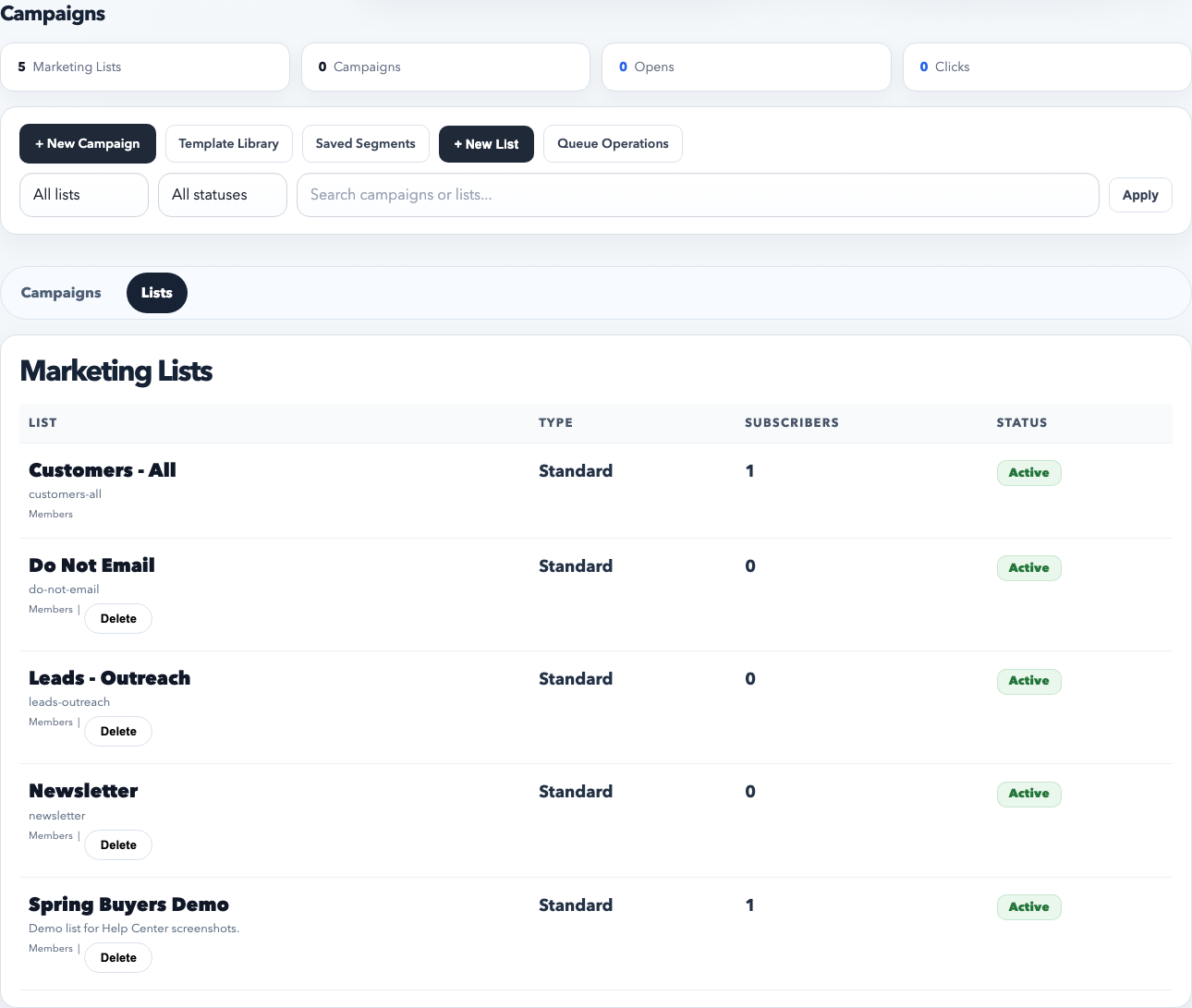
Marketing lists live under Campaigns. Use the Lists view to see the current audience structure, subscriber counts, and whether each list is active.
What marketing lists are for
Recurring audiences such as dealers, buyers, newsletter subscribers, or event follow-up groups
Campaign targeting that should be reusable across multiple sends
Separating opted-in contacts from internal suppression or do-not-email audiences
Keeping contact membership logic out of one-off spreadsheets and manual copy/paste workflows
How to create a list
Open Campaigns and switch to the Lists tab.
Click New List.
Name the list clearly. Use a durable business label such as Spring Buyers, VIP Dealers, or Rental Houses.
Set the type and description. Keep the description practical so other staff know what belongs in the list and what does not.
Leave the list active unless it should be hidden from active use.
Save the list.
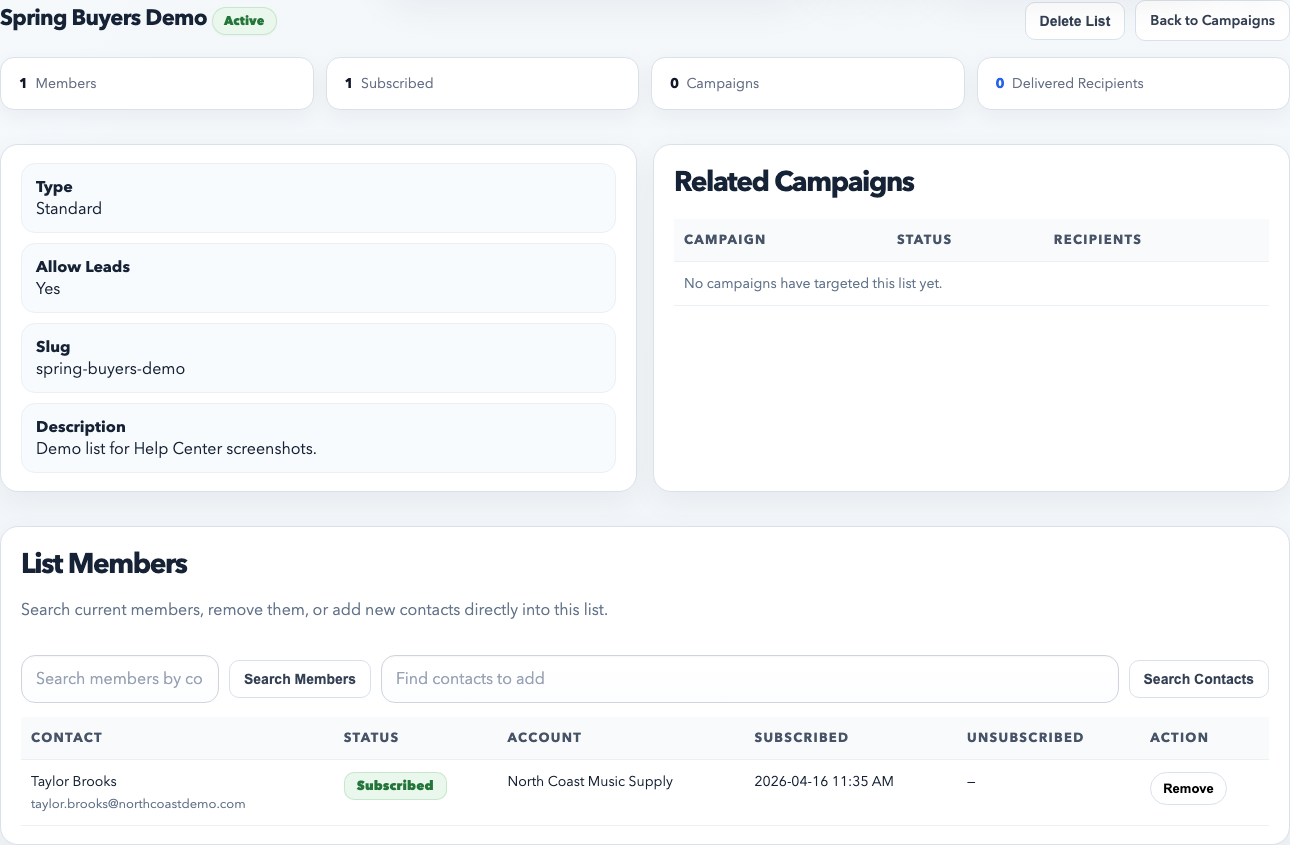
The list detail page is where you review membership, related campaigns, and list settings in one place.
How to add contacts to a list
Open the list detail page.
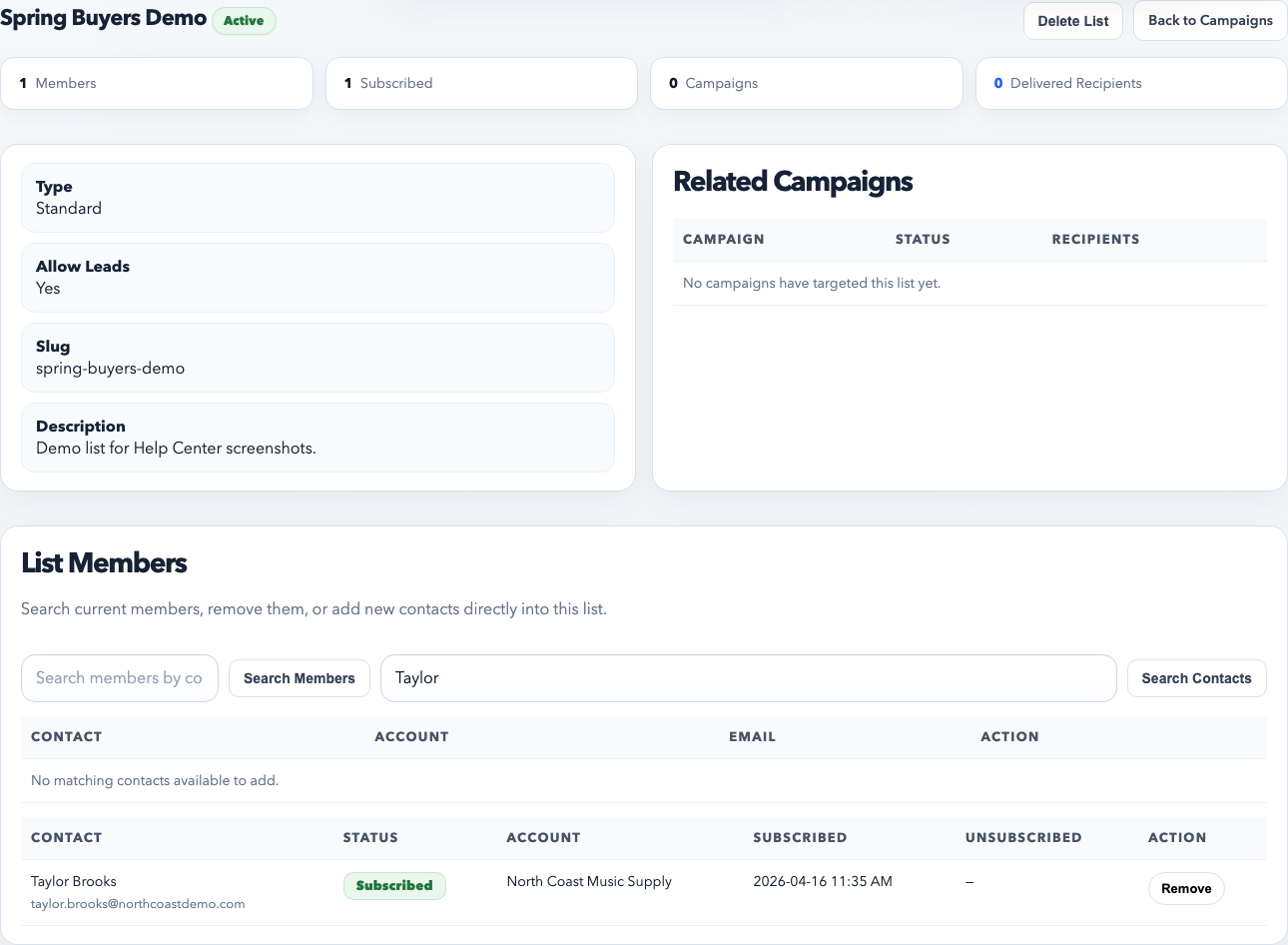
Use Find contacts to add to search for existing contacts by name, email, or account.
Click Add to List next to the correct person.
Confirm the contact appears in the member table with the correct subscription status.
Add members from the list page when you want a controlled audience. This avoids building campaign recipients by memory every time.
Best practices
Use lists for durable audience buckets, not for every one-time send.
Keep names stable so staff can recognize which list to choose in the campaign builder.
Use customer groups, classifications, and saved segments to refine campaigns further. Do not create duplicate lists when a filter would solve it cleanly.
Review suppression and do-not-email lists carefully. Those lists protect deliverability and compliance.
Common mistakes
Creating many overlapping lists with unclear names.
Adding contacts to the wrong recurring list instead of using a one-time segment or filter.
Leaving stale or unsubscribed contacts in active send workflows without checking list hygiene.
When to use a list versus a filter
Use a marketing list when the audience should be reused over time.
Use campaign filters or saved segments when the audience is dynamic, temporary, or based on live CRM conditions.