Campaign templates are the reusable layouts used inside the Campaigns module. They are not the same as CRM email templates used for one-to-one or manual outbound messages. Use campaign templates when you want repeatable campaign designs such as newsletters, launch announcements, price list updates, or product spotlights.
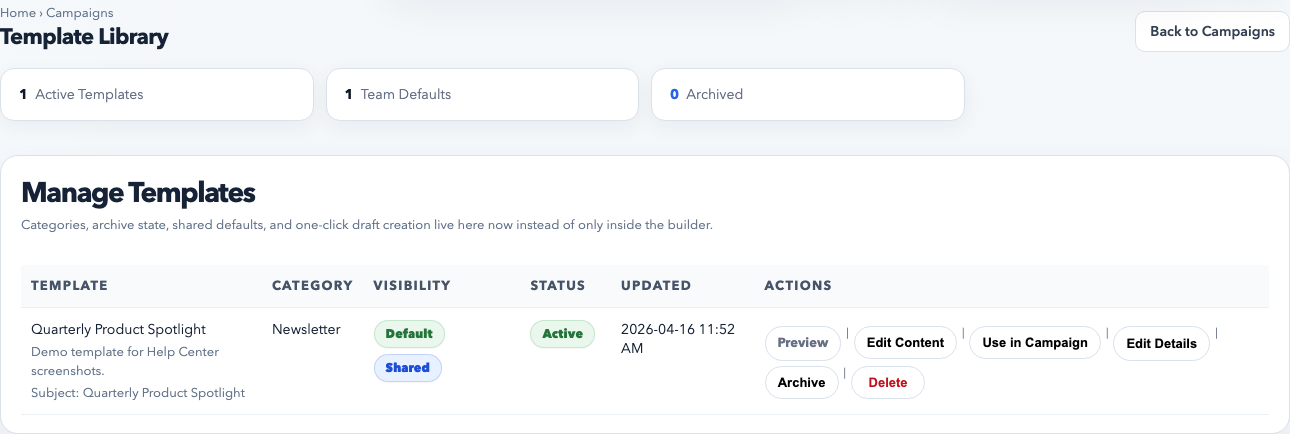
The campaign template library is the control center for reusable campaign layouts. This is where you preview, archive, share, and launch templates into fresh campaign drafts.
What campaign templates are for
Recurring campaign formats such as newsletters, launch announcements, and monthly updates
Brand-safe layouts that multiple staff members should use
Any campaign send where the structure stays mostly the same but the content changes
How to create or reuse a campaign template
Open Campaigns → Template Library.
Review existing templates first. Reuse a strong existing template before creating another one that means the same thing.
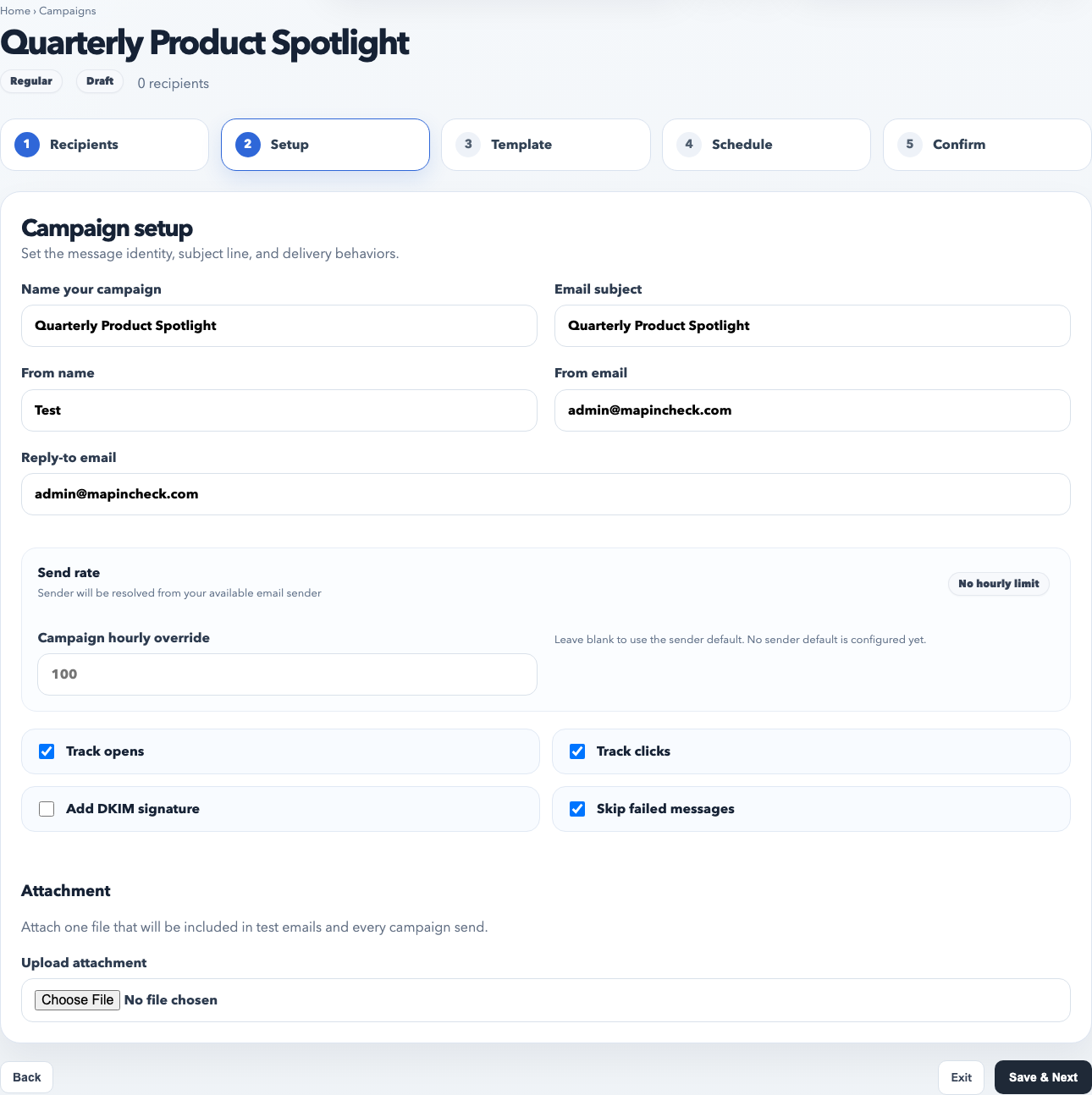
Use Use in Campaign to create a fresh draft from a template when you want to keep the design but change the message.
Use Edit Content when the template itself needs layout or copy updates for future campaigns.
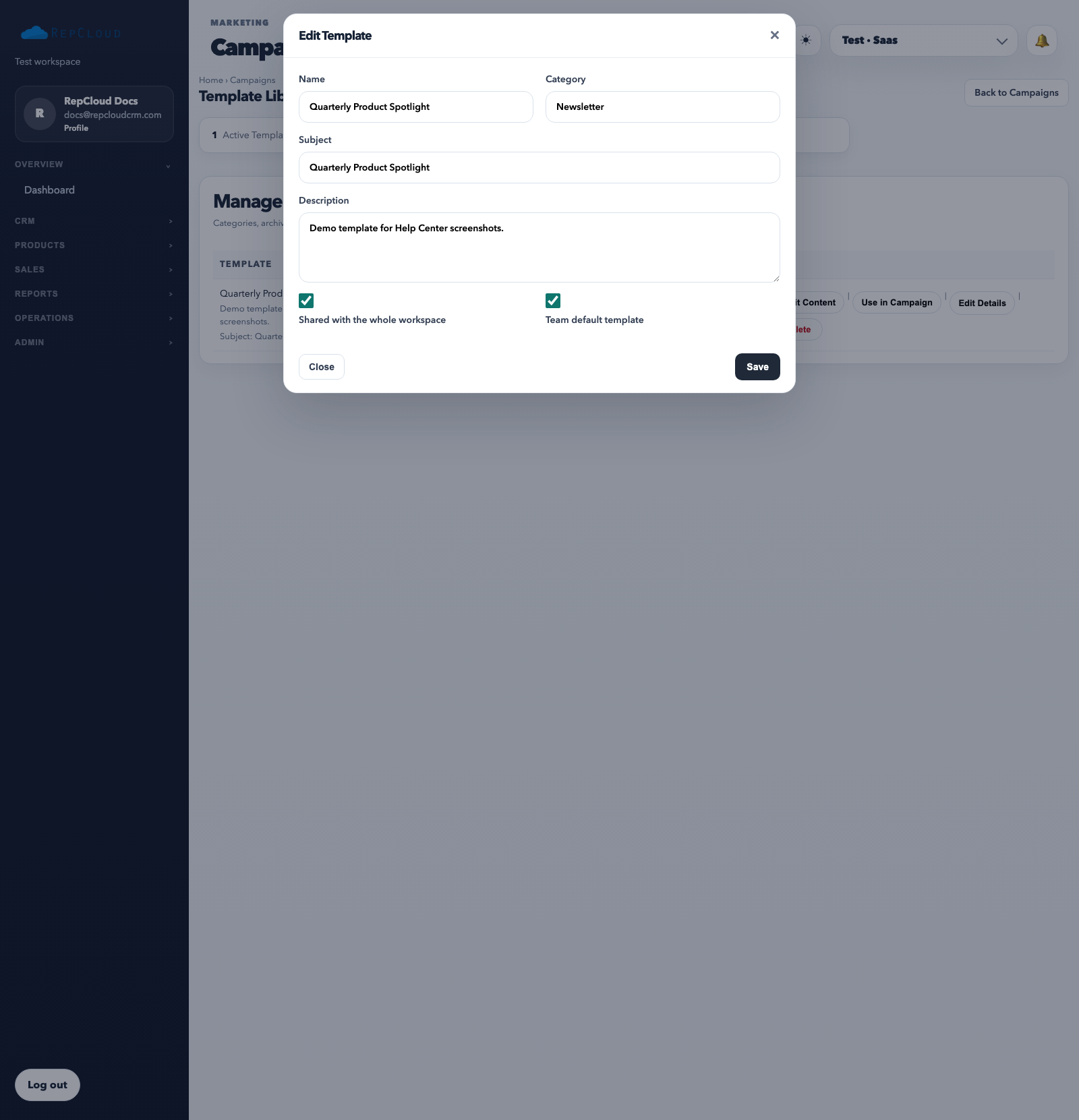
Edit Details controls the template metadata: naming, category, subject, workspace sharing, and whether the template should behave as a team default.
How to organize campaign templates well
Use stable names that tell staff what the template is for, such as Quarterly Product Spotlight or Dealer Newsletter.
Use categories consistently so the library stays sortable as it grows.
Mark only a few templates as defaults. Too many defaults create confusion instead of speed.
Archive old layouts instead of deleting them immediately if you may want to reference them later.
The campaign builder is where you edit the actual design and content blocks. Once a campaign layout is solid, save it back as a reusable template instead of rebuilding it from scratch next time.
Best practices
Keep structure reusable and content replaceable. Templates should be flexible, not overly tied to one specific send.
Use shared templates for team-wide layouts and private templates only when the content is truly personal or experimental.
Preview before using a template broadly, especially after editing branding, footers, or CTA blocks.
Save a good campaign back into the library when it becomes a repeatable format.
Common mistakes
Creating too many near-duplicate templates with slightly different names.
Editing a one-time campaign when the campaign template should have been updated at the source.
Confusing campaign templates with CRM email templates used in the messaging module.
Leaving outdated templates active so staff choose old branding or stale layouts by accident.