The lead module is meant to manage follow-up, not just store names. The best workflow is to create the lead, move it through statuses as interest changes, and keep the actual next action visible with tasks or reminders.
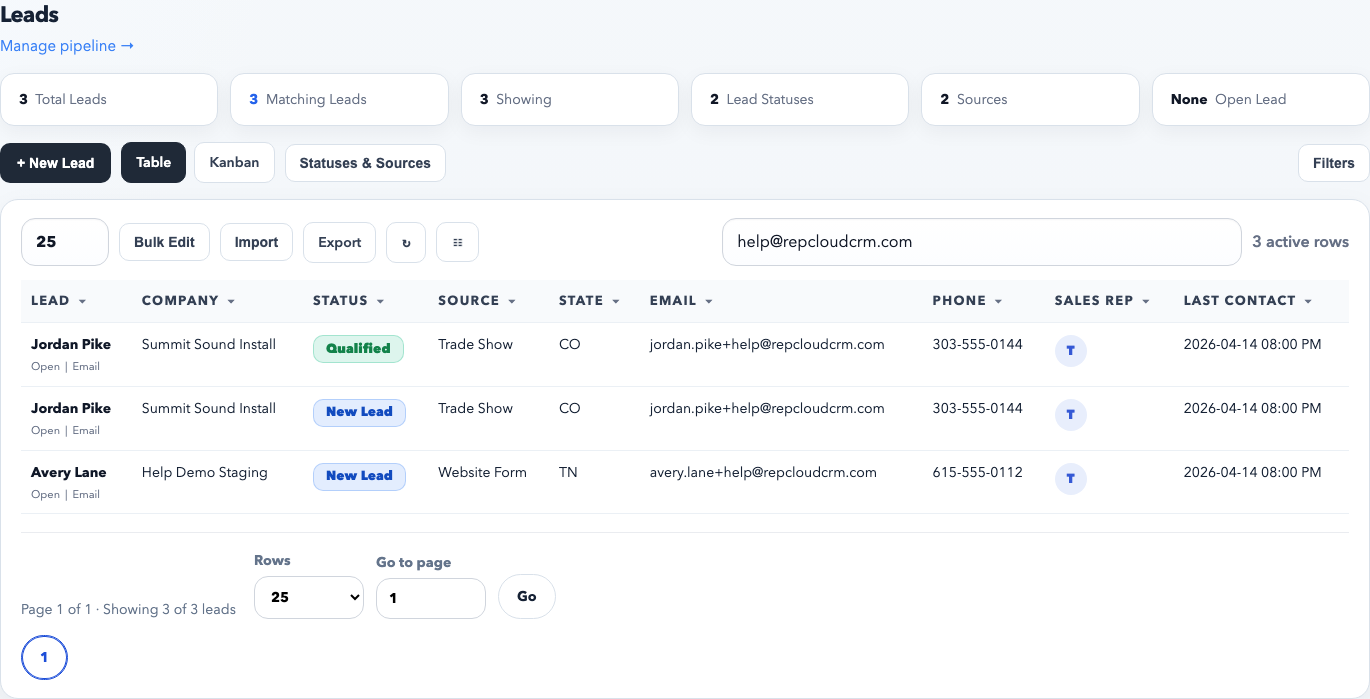
The table view is the operational queue. Use it to search, filter by source or owner, open a lead workspace, and make fast status changes without leaving the list.
Recommended lead workflow
Create the lead cleanly. Capture the person, company, source, owner, and any immediate context while it is fresh.
Assign ownership right away. The correct sales rep matters for filters, dashboards, and customer switching.
Move status as the conversation changes. Use statuses to reflect the real stage instead of leaving every lead marked new.
Attach a next action. Add a task or reminder whenever the lead needs follow-up, pricing review, or a specific callback date.
Convert only when the lead becomes a real customer relationship. Do not convert just to “clean up” the lead list.
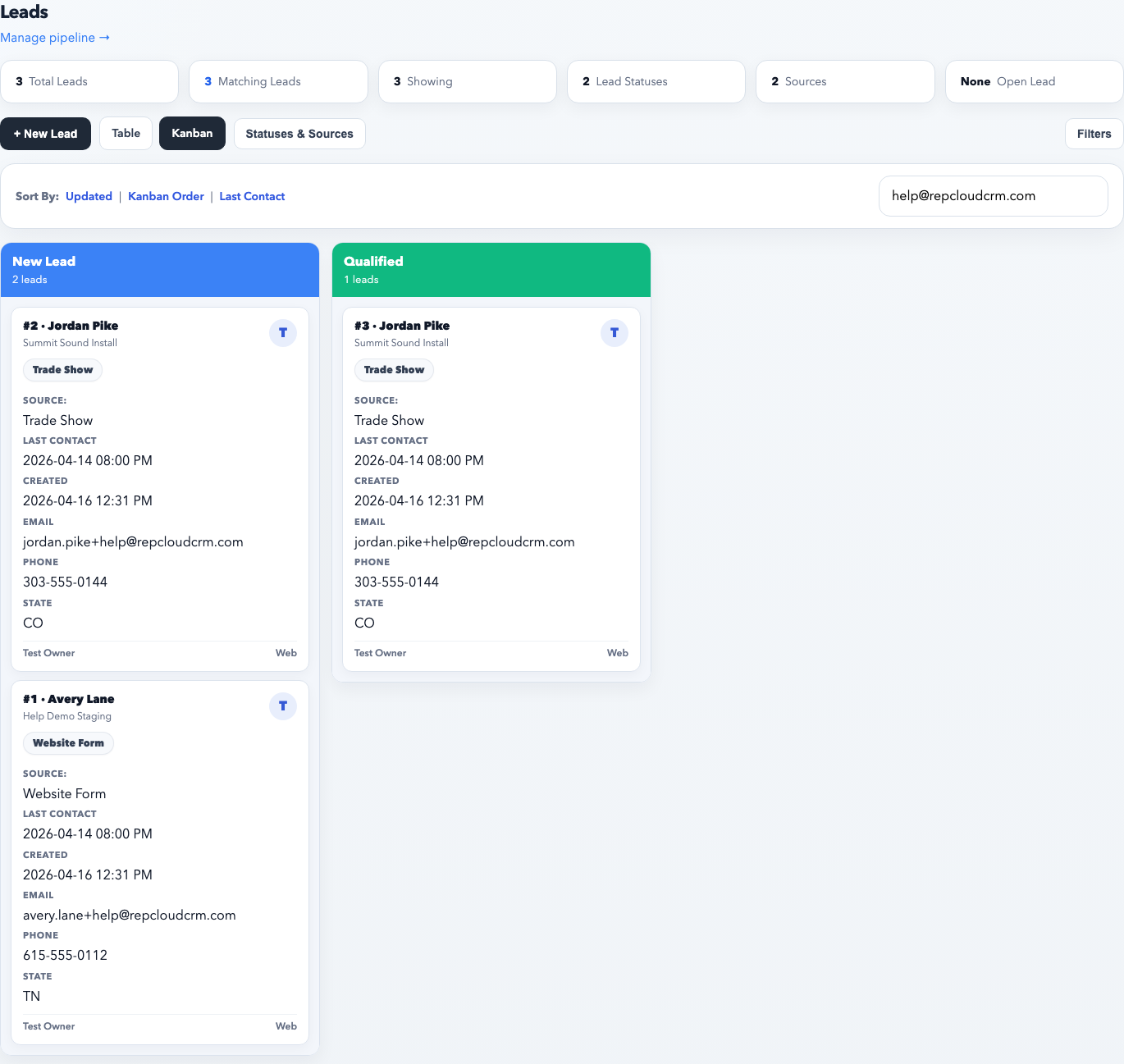
Kanban is best for pipeline reviews. It shows how many leads sit in each status and makes stalled stages obvious without scanning a long table.
When to use table view versus Kanban
Use table view for daily queue work, fast search, source filtering, exports, and opening a specific lead quickly.
Use Kanban when you want to review the pipeline by stage, coach reps, or spot where leads are getting stuck.
Use the same filters in either view so pipeline reviews stay grounded in the same real data.
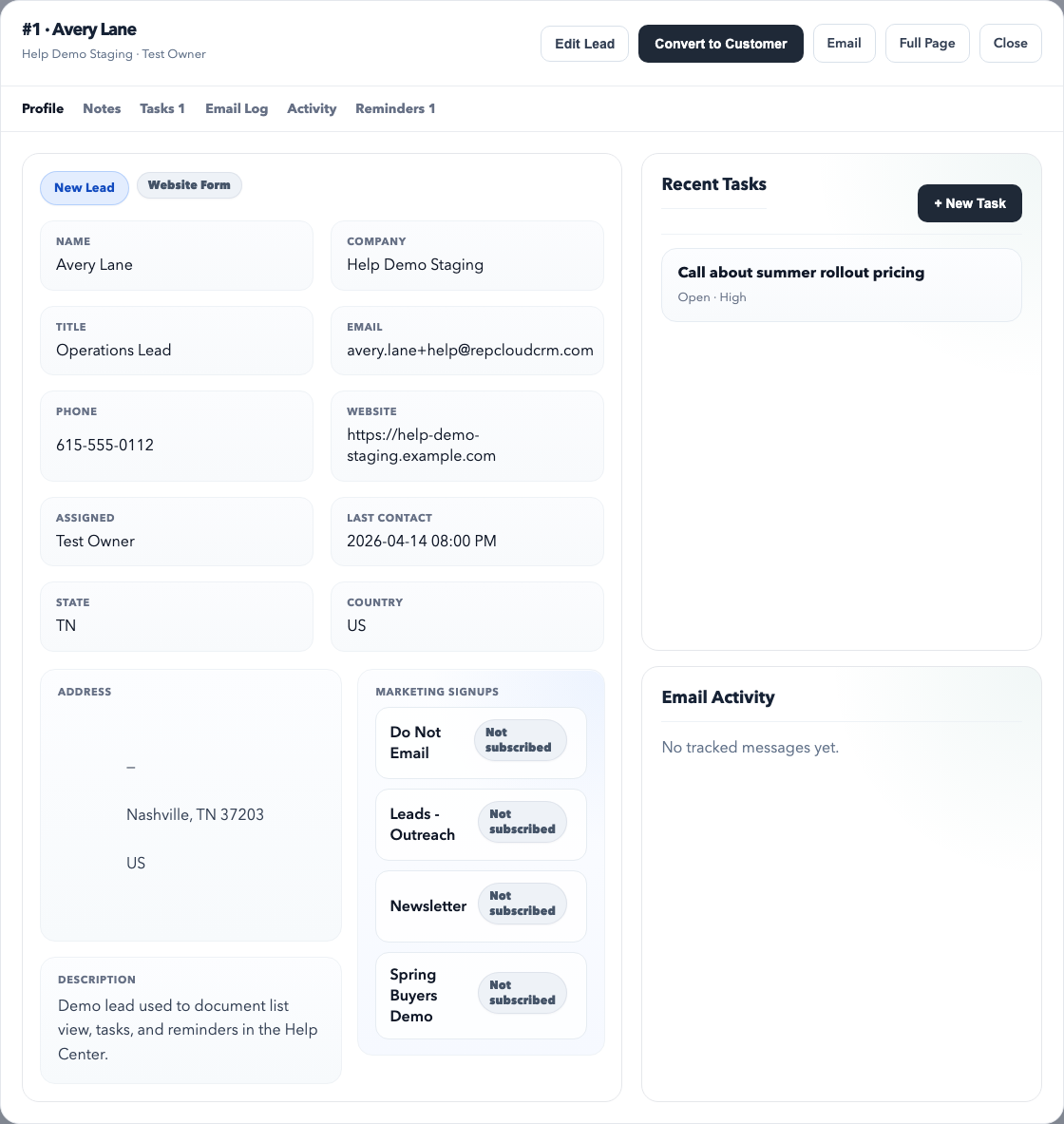
The lead workspace is the control center for one lead. From here you can review profile data, notes, tasks, reminders, activity, and convert the lead when appropriate.
What belongs in the lead workspace
Profile tab: identity, source, owner, last contact, address, and description.
Notes tab: meeting notes, qualification details, objections, and context that does not belong in a structured field.
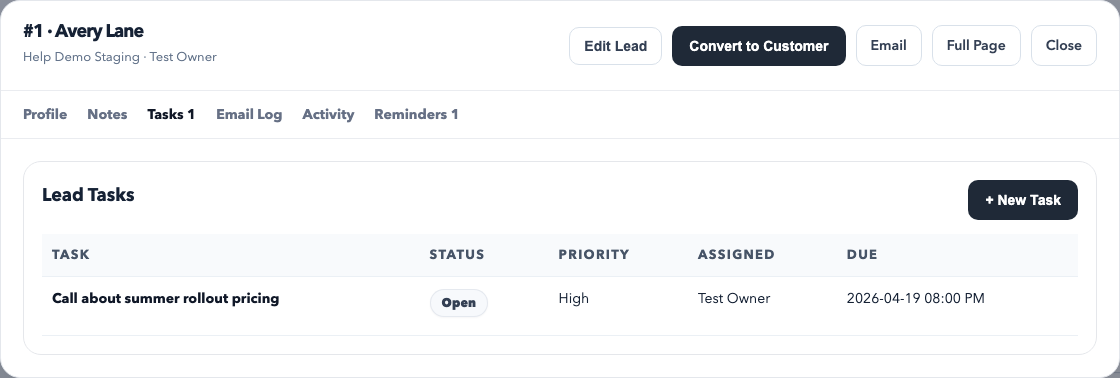
Tasks tab: action items such as quote follow-up, product research, or a rep callback.
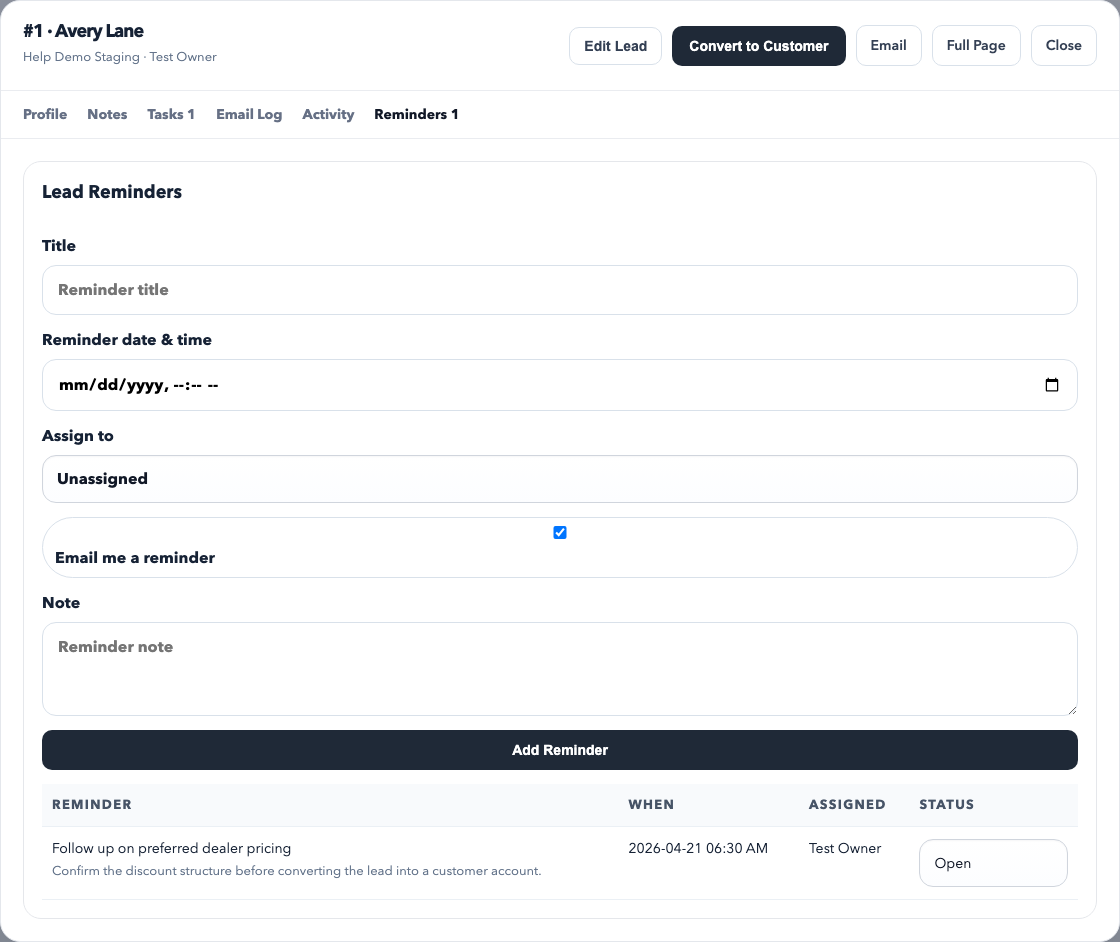
Reminders tab: time-based follow-up prompts that should come due on a specific date.
Activity and Email Log: history that helps the next rep understand what has already happened.
Use lead tasks when work needs ownership and tracking. Tasks are better than notes when someone must do something specific and you need to see whether it is still open.
Tasks versus reminders
Use a task when work needs an owner, a priority, and a completion state.
Use a reminder when the main need is a time-based nudge to follow up.
Use both together when a rep must do a real task on a specific date.
Lead reminders are the cleanest way to keep follow-up dates from getting lost. The reminder tab shows both the creation form and the current open or completed reminder history.
Best practices
Always record the source so reporting stays meaningful.
Keep the status honest. If a lead is qualified or stalled, mark it that way.
Do not rely on memory for follow-up. Add a task or reminder before leaving the lead.
Use notes for context and tasks for commitments. They are not the same thing.
Convert a lead to a customer only when the relationship is ready to live in the customer directory.
Common mistakes
Leaving every lead in the default status.
Using notes where a task or reminder should have been created.
Failing to assign an owner, then wondering why pipeline filters look wrong.
Converting to a customer too early, before the lead is actually qualified.